How to Start a Printify T-Shirt Business with Canva for Free
Want to launch your own clothing brand with zero upfront cost? Learn the ultimate step-by-step hack to combine Printify and Canva to build a profitable print-on-demand t-shirt business completely for free. Perfect for beginners looking to fund their financial freedom.
Imagine you could launch your own clothing line even if you only had a cent to spend! When t-shirt companies first started out a few years ago, it cost thousands of dollars to purchase stock, secure storage space, and then hope that somebody might actually buy your designs. If the shirts failed to generate any sales, you would end up with boxes of leftover fabric and a bank account with no money in it.
Fortunately, now the internet has made things way different. Enter Print-on-Demand (POD). Print-on-demand means that you're not purchasing one shirt until someone pays you for it. You can create an online t-shirt empire from nothing with a high level of design capabilities and a massive network of printing companies – Printify and Canva.
Here's your ultimate step-by-step guide to starting your financial freedom journey, all for FREE and with little hassle.
1. Target a Specific Niche (Don't Sell to Everybody)
The first thing new print-on-demand businesses do wrong is that they sell to everybody. They create generic shirts and put a smiley face or a simple "Hello Summer" word on them, and they're wondering why they are not selling. Truthfully, it's a saturated market. The winner is the person who goes narrow. It is necessary to specialize.
Rather than going after "dog lovers," go after "Funny French Bulldog Moms." Rather than targeting "professionals," target "Introvert Software Engineers."
If you're looking for inspiration, you can use the search function on Pinterest or Etsy! Enter a hobby or profession and then include "tshirt" (e.g., "accountant tshirt") and see the automated suggestions. Those recommendations are the very things people are typing into a search bar to find right now.
 Finnly Joy
2. Make Awesome Shirts with Designs on Canva for Free
You don't have to be a professional graphic designer or pay a premium for a subscription to Photoshop to design a cool shirt. In fact, some of the most successful t-shirts sold online are the simple typography designs (in other words, text).
Here's how to get your canvas just right:
- Log in to your free Canva account.
- In the top right corner, click on "Custom Size."
- Make the dimensions 4500 x 5400 pixels. It is the most optimal size for good quality t-shirt printing.
- Make your design easy to understand, simple, and relatable. Pay attention to the aesthetic font combinations and succinct, powerful quotes.
The Ultimate Free Transparent Background Hack:
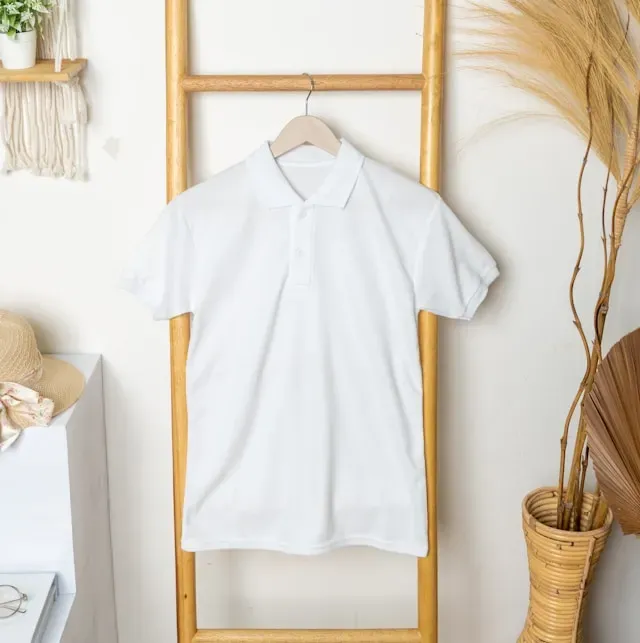
If you want to get a design without a background printed on a shirt, your design must be set to a transparent background (that is, the white canvas from Canva should not be printed on a black shirt). Canva is typically only available for download to images with a transparent background if you have a paid version of Canva Pro.
For the ultimate hack, though, this is free:
- Save the design you've created as a high-resolution PNG from Canva.
- Go to a free website, such as Photopea.com or remove.bg.
- Upload your image, and in one click, the free tool will remove the background canvas, and you will download your final image in PNG format without a background canvas.
3. Sign Up for Your Free Printify Account
Once you have your design file ready, it's time to make it come to life with Printify. Create a Free Printify Account in under 2 minutes!
Inside, go to the Product Catalog and then click on Men's Clothing or Women's Clothing and you will find blank t-shirts. If you are new to the shirt industry, these are two very popular and reliable choices:
- Gildan 5000: A classic, strong, heavy cotton shirt. It is very inexpensive, and so you have a much larger margin of profit.
- Bella+Canvas 3001: This is a high-quality, extremely soft lifestyle shirt. It is light and luxuriously made, which is loved by US customers.
Choose a print provider according to the ratings, print speed, and cost. Next, click "Start Designing" and drag and drop your clear Canva PNG design onto the shirt mockup. Put it in a nice place on the chest, select the shirt colors you wish to provide, and save the product.
4. Select a Free E-Commerce Platform to Sell Your Shirts
So you've created a great design for your mockup, but how do real people know about your design and purchase it? A web storefront is needed. That's great news because there are several platforms that you can use to set up a simple, no-cost online store that integrates with Printify:
- Printify Pop-Up Store: Printify offers an online store option that you can create directly on the site, completely free. There's no need for your own website; all you need to do is post your special link on social media.
- Etsy: Etsy normally costs 20 cents per listing; however, you will find Etsy links on the web that permit you to establish your shop or upload your initial 40 t-shirt designs free of charge.
- TikTok Shop & Instagram: You can now post your mockups on TikTok and Instagram reels with free and organic short-form content to generate a lot of traffic to your store link without spending any money on ads.
If they visit your shop and make a purchase of a $25 shirt, an order is automatically synced to Printify. Printify's basic shirt production fee is approximately $10-$12, and they send the shirt to the customer once it's printed. You retain the remaining $13 as all profit!
 Finnly Joy
5. Sync This Side Hustle with Your Wealth Strategy
This step is about syncing up this side hustle with your wealth strategy. Creating a print-on-demand store using Canva and Printify isn't merely a quick get-rich scheme for short-term luxuries. Financial peace starts when your side business turns into a long-term passive income.
Consider this: the money you make from your zero-investment business can be put to strategic use as part of your fiscal plan.
For those who are on a financial plan that provides a strong roadmap for your finances, such as Dave Ramsey's baby steps, your initial Printify earnings can quickly help you build your $1,000 starter emergency fund or pay off any remaining consumer debt.
With your financials covered, those steady print-on-demand royalties can go into low-cost index funds, as Buffett suggests. When you share your profits from your automated side-hustle into investments that you can count on to increase over time, your free t-shirt business can literally be the vehicle that gets you to early retirement.
You're just about to create a successful print-on-demand business; all you need is execution. Capital, inventory, and skills are not required. All you need is a free Canva account, a Printify setup, and consistency to produce new designs. Don't wait for the right time—sign up for free now and plant the financial tree that will give you shade later.
Stay happy and wealthy,
Finnly Joy.
Creative Side Hustles to Maximize Your Monthly Income
Disclaimer: The information provided in this article is for educational and informational purposes only and should not be construed as professional financial, investment, or legal advice. Financial strategies, including budgeting and saving methods, may vary based on individual circumstances. Always consult with a certified financial planner or advisor before making any major financial decisions.